
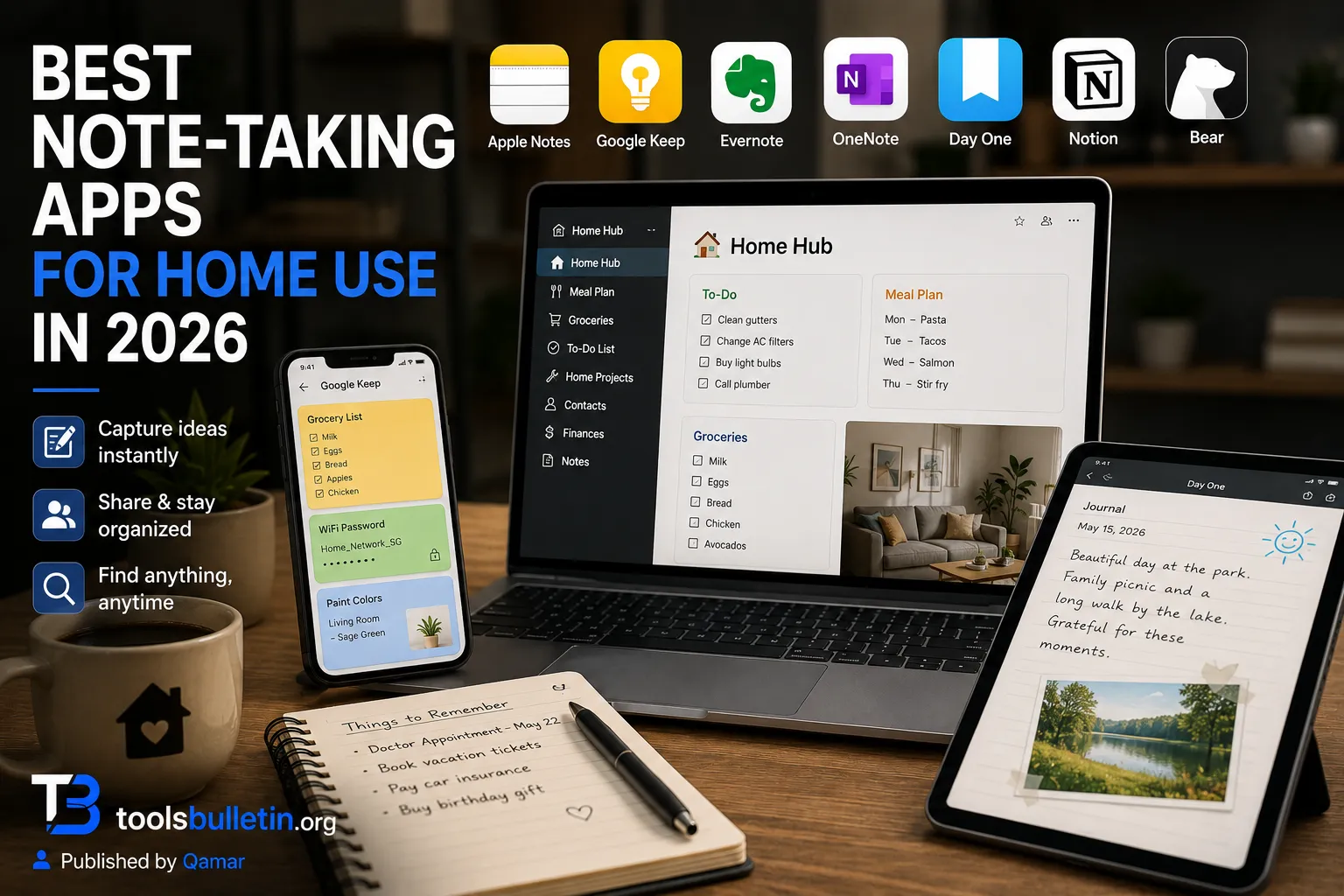
Half the notes I actually need day to day have nothing to do with work or school. It’s the paint color I finally settled on for the hallway, a recipe I scribbled changes to halfway through cooking it, the WiFi password for a rental I’ll need again in six months, or a running list of things to mention at my kid’s next parent-teacher meeting. None of that needs a productivity system; it just needs somewhere reliable to live that I can actually find again later.
I tested the note apps people realistically use at home, not the ones built for managing a team or writing a thesis, on real household tasks: grocery lists, a recipe with substitutions, a journal entry, a shared list with a family member, and a screenshot I needed to find again three weeks later. A few of these earned a permanent spot on my phone’s home screen. One I deleted within a week.
How I chose and tested these
I focused on how well each app handles the specific, low-stakes chaos of home life: quick capture without friction, sharing a list with a partner or family member, finding an old note again months later, and whether the free tier is genuinely enough for someone who isn’t managing a business or writing a novel. I also weighed how well each app works across devices, since most households have a mix of phones, and syncing quietly in the background matters more than any fancy feature. I used each app for real household tasks over several weeks rather than testing them in the abstract.
The tools worth your time
1. Apple Notes Best for: Apple households that want fast capture without ever having to think about which app to open. What stood out: the built-in document scanner turned out to be genuinely useful for boring home admin. I scanned a warranty receipt straight into a note in about ten seconds, no separate scanning app needed, and it’s searchable later even though it’s a photo. Genuine limitation: It’s basic by design; there’s no real tagging structure beyond folders, and if you’re not on an Apple device at all, you’re locked out entirely. Approximate price: free, built into every Apple device.
2. Google Keep Best for: quick, color-coded sticky notes and shared lists, especially grocery runs and shared to-dos with a partner. What stood out: I shared a grocery list with a family member and watched items get checked off in real time from a different phone in a different room, which sounds small but is exactly the kind of thing that makes a household actually use an app consistently. Genuine limitation: it’s not built for anything longer than a quick note or list; there’s no real structure for a long journal entry or detailed research, and it’ll feel cramped fast if you try to use it for more than quick capture. Approximate price: free, tied to any Google account.
3. Evernote Best for: people who’ve built up years of notes already and want strong search across a large, messy collection. What stood out: its web clipper saved an entire recipe page, images and formatting intact, and finding it again months later through search took seconds even though I’d forgotten which site it came from. Genuine limitation: the free tier has gotten noticeably thinner in recent years under new ownership, with single-device sync and tighter monthly limits, which makes it a harder sell for someone starting fresh today rather than a longtime user with existing notes. Approximate price: The free tier is limited; personal plans run roughly $100 to $130/year depending on current pricing.
4. Microsoft OneNote Best for: households already living in Microsoft 365, or anyone who wants one flexible page for mixed content, a recipe, a scanned form, or a handwritten reminder, all in one place. What stood out: I built a running “household admin” notebook, with one section for warranty info, one for recipes, and one for reminders, and being able to drop a photo, type next to it, and scribble a note in the margin without switching modes felt genuinely natural rather than fussy. Genuine limitation: it can feel like more app than you need for simple home use; the flexibility that makes it powerful also means it takes a bit more setup than something like Apple Notes or Google Keep to feel organized. Approximate price: free, with 5GB of OneDrive storage included.
5. Day One is best for personal journaling specifically, not general notes, if you actually want to build a habit of writing about your day. What stood out: the automatic daily prompts and the “on this day” feature, resurfacing an entry from a year ago, genuinely made me want to open it again the next day, which is more than I can say for most journaling apps I’ve tried and abandoned. Genuine limitation: it’s built specifically for journaling, not general household notes; trying to use it as your everyday notes app feels like using the wrong tool for the job. Approximate price: free tier with basic features; premium runs around $35 to $40/year for unlimited entries, media, and sync across devices.
6. Notion Best for: households that want to organize more than just notes, meal planning, a shared calendar, and a home maintenance tracker, all in one connected workspace. What stood out: I built a simple home maintenance log, noting when the filters were last changed and when the gutters need cleaning again, and having it linked to a basic calendar view made it something I actually check instead of a spreadsheet I forget exists. Genuine limitation: It’s genuine overkill if all you want is a quick place to jot things down; the setup time investment only pays off if you actually want a connected system, not just a notepad. Approximate price: free for personal use with generous limits.
7. Bear Best for Apple users who want something nicer to write in than Apple Notes without going all the way to a full workspace app like Notion. What stood out: the writing experience itself is genuinely pleasant, with clean typography, simple markdown formatting, and tagging that’s just flexible enough for personal use without feeling like database setup. Genuine limitation: it’s Apple-only and honestly hard to justify paying for once you consider how capable free options like Apple Notes or Google Keep have become for the same basic use case. Approximate price: roughly $3/month or around $30/year for the Pro version with sync and export options.
Apple Notes vs. Google Keep: Which Should You Actually Pick?
This is really a question of what devices your household actually uses. If everyone’s on iPhones and Macs, Apple Notes wins on convenience alone; it’s already synced across every device without setup. If your household is a mix of Android and iPhone, or you’re already living in Gmail and Google Calendar, Google Keep works the same everywhere, and the shared list feature is genuinely better for a mixed-device family than trying to force everyone onto Apple’s ecosystem. I’d pick based on what phone the majority of your household already carries, not which app has more features.
FAQs
Do I need a paid note app for home use, or is a free one enough? For nearly all everyday home use, free is genuinely enough. Apple Notes, Google Keep, and OneNote cover quick capture, shared lists, and basic organization at no cost. Paid apps like Day One or Bear earn their price through a nicer writing experience or a specific feature (journaling prompts or sync history), not because the free options are lacking for typical home tasks.
What’s the best app for sharing a grocery or to-do list with family members? Google Keep and Apple Notes (via shared folders) both handle this well and update in real time across devices. Notion can do it too, but it’s more setup than most households need just for a shared grocery list.
Is it safe to keep personal or sensitive notes, like passwords or medical info, in these apps? Generally these apps sync through the same account security as your phone (iCloud or Google account), which is reasonably secure for most household use, but none of them are built specifically for highly sensitive data the way a dedicated password manager is. For anything like passwords or financial account numbers, a dedicated password manager is a better fit than a general notes app.
Which app is best if I want to actually start journaling and stick with it? Day One is built specifically for this, and the daily prompts and “on this day” memory feature genuinely help with the habit-forming part, which is usually the harder problem than picking an app in the first place.
My honest recommendation
For most households, I’d start with whatever’s already built into your phone, Apple Notes or Google Keep, since both are free, already synced, and cover the vast majority of home note-taking without any setup at all. Add Day One specifically if you want to build an actual journaling habit; that’s a genuinely different use case worth its own app. Only reach for Notion or OneNote once you find yourself wanting more structure than a quick notes app offers, a real home maintenance log, a shared meal plan, or that kind of thing. Don’t overthink this one; the built-in option on whatever phone you’re already holding covers most of what a household actually needs.
Prices, availability, and rankings may change. Readers should verify current details directly with each provider before purchasing.
Who: Written and reviewed by Qamar. How: Researched using current pricing and feature information from each provider and independent reviews; drafted with AI assistance; edited and fact-checked personally. Why: To genuinely help readers make a confident decision for everyday, personal note-taking needs.





Leave a Reply